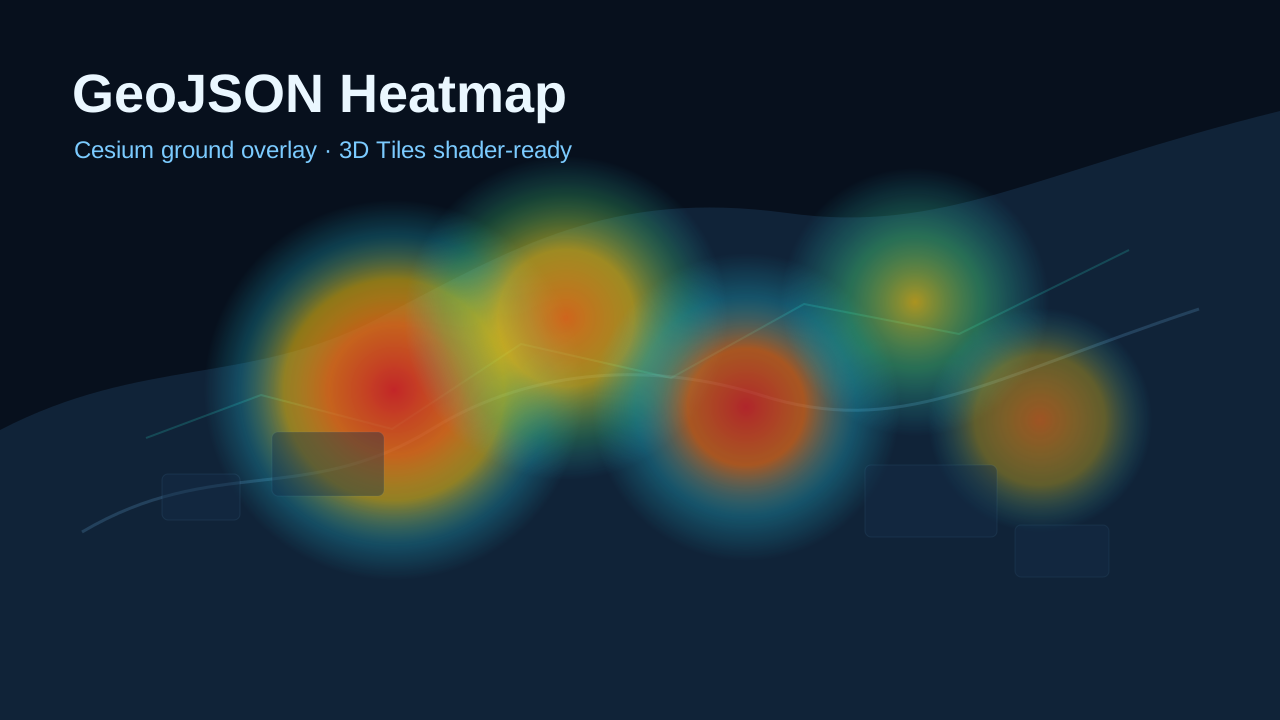
Cesium GeoJSON 热力图 SDK 实现说明
记录通用 GeoJSON 热力图 SDK 的实现逻辑,包括 Cesium runtime 单例、GeoJSON 点数据解析、canvas 热力纹理生成、GroundPrimitive 分类渲染、世界地形接入和 OSM Buildings 测试场景管理。

Kevin
这篇笔记解决什么问题
这个热力图实现的目标不是做一个只能服务某个 Demo 的页面效果,而是沉淀成一个通用 SDK 模块:
- 业务侧只负责提供
FeatureCollection<Point>格式的 GeoJSON 数据 - SDK 内部负责从 GeoJSON 中解析经纬度和权重
- SDK 内部负责把点数据绘制成二维 canvas 热力纹理
- SDK 内部负责把热力纹理绑定到 Cesium 的
GroundPrimitive - 半径、模糊度、透明度、显示目标、数据更新和销毁都通过统一 API 处理
所以这里最重要的设计边界是:Demo 页面只是使用者,真正可复用的能力在 demos/cesium/heatmap/* 和 Cesium runtime 模块里。
对外 API 形态
业务接入时先用统一 runtime 加载 Cesium,再创建 Viewer,最后把 GeoJSON 传给热力图图层工厂。
import { loadCesium } from './cesiumRuntime.js'
import { createGeoJsonHeatmapLayer } from './heatmap/cesiumHeatmapLayer.js'

const Cesium = await loadCesium()
const viewer = new Cesium.Viewer(container)

const heatmapLayer = createGeoJsonHeatmapLayer(viewer, {
  geoJson,
  bounds: {
    west: 113.7,
    south: 22.4,
    east: 114.7,
    north: 22.9
  },
  valueProperty: 'value',
  radius: 42,
  blur: 32,
  minOpacity: 0.12,
  maxOpacity: 0.86,
  visible: true,
  classificationTarget: 'both'
})
这个 API 有三个关键点:
- 业务代码不需要把
Cesium参数继续传进热力图模块。 - 覆盖范围通过
bounds表达,SDK 只认west/south/east/north。 - 显示目标通过
'terrain' | 'tiles' | 'both'控制,而不是额外绑一个 tileset 实例。
图层对象返回后,后续更新都走同一个对象:
heatmapLayer.updateGeoJson(nextGeoJson)

heatmapLayer.setOptions({
  radius: 56,
  blur: 40,
  minOpacity: 0.08,
  maxOpacity: 0.9,
  classificationTarget: 'tiles'
})

heatmapLayer.setVisible(false)
heatmapLayer.setClassificationTarget('both')
heatmapLayer.destroy()
整体链路
当前实现可以按下面这条链路理解:
loadCesium()统一加载 Cesium,并缓存 Cesium module。- Demo 或业务代码创建 Cesium
Viewer。 createGeoJsonHeatmapLayer(viewer, options)创建热力图图层。parseGeoJsonPoints()校验 GeoJSON,并提取经纬度、权重和统计信息。renderHeatmapCanvas()把点位投影到 canvas,并生成热力纹理。GroundPrimitive读取热力 canvas,并按classificationTarget分类到地形、3D Tiles 或两者。- 参数或数据变化时,SDK 只重绘热力图,必要时重建 primitive。
- 页面销毁时,SDK 移除 primitive,并释放内部状态。
这条链路把“数据解析”“纹理绘制”“Cesium 绑定”“生命周期”拆开了。后续换真实接口数据、换业务范围、换权重字段时,不需要重写热力图渲染逻辑。
Cesium runtime 为什么要单例化
之前每个 Cesium Demo 都自己设置 CESIUM_BASE_URL、注入 Widgets CSS、动态导入 /cesium/index.js。这些逻辑散在多个文件里,会带来两个问题:
- 每个 Demo 都有重复初始化代码。
- 热力图 SDK 如果也要求传入
Cesium,业务调用会变得啰嗦。
现在统一收敛到 demos/cesium/cesiumRuntime.js:
let cesiumPromise = null
let cesiumModule = null

export async function loadCesium() {
  ensureCesiumBaseUrl()
  ensureCesiumWidgetsStyles()

  if (!cesiumPromise) {
    cesiumPromise = import(/* @vite-ignore */ CESIUM_RUNTIME_URL)
      .then((module) => {
        cesiumModule = module
        return module
      })
      .catch((error) => {
        cesiumPromise = null
        throw error
      })
  }

  return cesiumPromise
}
热力图模块内部通过 getCesium() 读取已经加载好的 Cesium。这样业务入口只需要保证先 await loadCesium(),后面的通用模块就能直接工作。
为了让 Demo 能直接加载 Cesium World Terrain 和 OSM Buildings,runtime 现在还会在模块初始化时同步注入 Ion token:
function resolveCesiumIonToken() {
  if (typeof window === 'undefined') {
    return ''
  }

  return window.__NUXT__?.config?.public?.cesiumIonToken || ''
}
cesiumPromise = import(/* @vite-ignore */ CESIUM_RUNTIME_URL)
  .then((module) => {
    const ionToken = resolveCesiumIonToken()

    if (ionToken) {
      module.Ion.defaultAccessToken = ionToken
    }

    cesiumModule = module
    return module
  })
这样 Demo 页面里的 terrain / 3D Tiles 加载,就不需要再到业务层单独处理 token 传递。
GeoJSON 数据约定
热力图输入固定使用 FeatureCollection<Point>。坐标使用 WGS84,经纬度顺序为 [longitude, latitude]。权重字段默认读取 properties.value。
{
  "type": "FeatureCollection",
  "features": [
    {
      "type": "Feature",
      "properties": {
        "id": "heat-001",
        "name": "sample point",
        "category": "event",
        "value": 92
      },
      "geometry": {
        "type": "Point",
        "coordinates": [113.941, 22.541]
      }
    }
  ]
}
SDK 只依赖两部分数据:
geometry.coordinates:点位经纬度properties[valueProperty]:点位权重,默认是properties.value
GeoJSON 怎么被解析
解析逻辑在 demos/cesium/heatmap/geojson.js。它不会因为某一个坏点中断整张热力图,而是跳过无效点,并返回统计信息。
关键判断如下:
const isPointFeature = feature?.type === 'Feature' &&
  geometry?.type === 'Point' &&
  Array.isArray(coordinates) &&
  coordinates.length >= 2

if (!isPointFeature || !Number.isFinite(coordinates[0]) || !Number.isFinite(coordinates[1]) || !Number.isFinite(value) || value < 0) {
  skipped += 1
  continue
}
然后再用 bounds 判断点是否落在当前热力图覆盖范围内。这样业务接入时只需要明确覆盖范围,解析器就能稳定产出当前图层应该消费的点集。
Canvas 热力纹理怎么生成
真正生成热力图的是 demos/cesium/heatmap/canvasHeatmap.js。它把热力图拆成两步:
- 先绘制灰度密度图
- 再把灰度 alpha 映射成热力颜色和透明度
生成单个点的影响范围时,使用径向渐变:
const innerRadius = clamp(radius - blur, 0, radius)
const gradient = context.createRadialGradient(center, center, innerRadius, center, center, radius)
gradient.addColorStop(0, 'rgba(0, 0, 0, 1)')
gradient.addColorStop(1, 'rgba(0, 0, 0, 0)')
每个 GeoJSON 点绘制到灰度密度图时,会先按最大权重归一化:
const projected = projectLngLatToHeatmap(point.longitude, point.latitude, bounds, size.width, size.height)
const normalizedValue = point.value / maxValue

context.globalAlpha = clamp(normalizedValue, 0.02, 1)
context.drawImage(
  sprite,
  projected.x - heatmapOptions.radius,
  projected.y - heatmapOptions.radius
)
最后再把 alpha 转成彩色热力图:
const intensity = pixels[index + 3] / 255
const colorIndex = clampInteger(intensity * 255, 0, 255) * 4
const opacity = minOpacity + intensity * (maxOpacity - minOpacity)

pixels[index] = colorRamp[colorIndex]
pixels[index + 1] = colorRamp[colorIndex + 1]
pixels[index + 2] = colorRamp[colorIndex + 2]
pixels[index + 3] = clampInteger(opacity * 255, 0, 255)
所以 minOpacity 和 maxOpacity 不是简单设置整个图层透明度,而是在每个像素颜色映射阶段参与计算。
GroundPrimitive 怎么绑定热力图
这次改造的核心,就是把原来的 SingleTileImageryProvider 改成 GroundPrimitive。
首先会做能力检查:
function ensureGroundPrimitiveSupport(Cesium, viewer) {
  if (!Cesium.GroundPrimitive.isSupported(viewer.scene)) {
    throw new Error('当前环境不支持 GroundPrimitive,无法渲染热力图。')
  }

  if (!Cesium.GroundPrimitive.supportsMaterials(viewer.scene)) {
    throw new Error('当前环境不支持 GroundPrimitive 材质,无法渲染热力图。')
  }
}
然后把 canvas 纹理包装成 Image material:
function createGroundMaterial(Cesium, canvas) {
  return Cesium.Material.fromType('Image', {
    image: canvas,
    transparent: true,
    repeat: new Cesium.Cartesian2(1, 1),
    color: Cesium.Color.WHITE
  })
}
真正创建 primitive 的逻辑如下:
function createGroundPrimitive(Cesium, state) {
  const material = createGroundMaterial(Cesium, state.renderResult.canvas)
  const appearance = new Cesium.EllipsoidSurfaceAppearance({
    material,
    translucent: true,
    aboveGround: false
  })
  const primitive = new Cesium.GroundPrimitive({
    geometryInstances: new Cesium.GeometryInstance({
      geometry: new Cesium.RectangleGeometry({
        rectangle: createCesiumRectangle(Cesium, state.bounds),
        vertexFormat: Cesium.EllipsoidSurfaceAppearance.VERTEX_FORMAT
      }),
      id: 'geojson-heatmap-ground-primitive'
    }),
    appearance,
    classificationType: toClassificationType(Cesium, state.classificationTarget)
  })

  primitive.show = state.visible

  return {
    primitive,
    material,
    appearance
  }
}
这里的职责边界很清楚:
RectangleGeometry定义热力图的经纬度覆盖范围Image material负责把 canvas 结果变成可采样纹理GroundPrimitive负责把这张热力图分类到 Cesium 场景表面
Demo 怎么补地形和 3D Tiles 测试场景
为了验证热力图是否真的同时贴到地形和模型,Demo runtime 会额外加载两层场景资源:
- Cesium World Terrain
- Cesium OSM Buildings
加载逻辑集中在 loadTerrainAndTiles():
async function loadTerrainAndTiles(Cesium, viewer) {
  const results = await Promise.allSettled([
    Cesium.createWorldTerrainAsync({
      requestWaterMask: true,
      requestVertexNormals: true
    }),
    Cesium.createOsmBuildingsAsync({
      defaultColor: Cesium.Color.fromCssColorString('#d9e0ea').withAlpha(0.92),
      enableShowOutline: false,
      showOutline: false
    })
  ])
地形成功后,直接挂到 viewer.terrainProvider:
if (terrainResult?.status === 'fulfilled') {
  viewer.terrainProvider = terrainResult.value
  sceneState.terrainReady = true
}
OSM Buildings 成功后,直接加到 viewer.scene.primitives:
if (tilesResult?.status === 'fulfilled') {
  sceneState.tileset = viewer.scene.primitives.add(tilesResult.value)
  sceneState.tilesReady = true
}
这里不用把热力图和 tileset 再做额外绑定,因为当前热力图本身就是 GroundPrimitive classification。只要 tileset 已经进入场景,classificationTarget = 'tiles' | 'both' 就会直接作用到模型表面。
为什么要选一个热力图测试点
只把地形和 3D Tiles 加进场景还不够,观察上也需要一个固定锚点。Demo 现在会从当前 GeoJSON 中选一个离参考城市点最近的真实热力点,作为“热力图测试点”:
const HEATMAP_TEST_POINT_REFERENCE = Object.freeze({
  longitude: 114.059,
  latitude: 22.543,
  name: '热力图测试点'
})
然后从当前热力图点集中挑选最适合观察的点:
function findHeatmapTestPoint(featureCollection) {
  const features = Array.isArray(featureCollection?.features) ? featureCollection.features : []
  let bestPoint = null
  let bestScore = Number.POSITIVE_INFINITY

  for (const feature of features) {
    const point = getFeaturePoint(feature)

    if (!point) {
      continue
    }

    const longitudeDelta = point.longitude - HEATMAP_TEST_POINT_REFERENCE.longitude
    const latitudeDelta = point.latitude - HEATMAP_TEST_POINT_REFERENCE.latitude
    const distanceScore = longitudeDelta * longitudeDelta + latitudeDelta * latitudeDelta
    const valueBonus = point.value / 100000
    const score = distanceScore - valueBonus
这个策略的目的不是找“全局最大值”,而是找“离城市高密区域更近、同时又确实属于当前热力图数据”的一个真实点。这样相机切过去时,更容易直接看到 OSM Buildings,也更容易观察热力图是否贴到了建筑表面。
测试点怎么可视化和定位
选出测试点后,Demo 会往场景里加一个贴地 marker:
return viewer.entities.add({
  position: Cesium.Cartesian3.fromDegrees(testPoint.longitude, testPoint.latitude, 0),
  point: {
    pixelSize: 12,
    color: Cesium.Color.fromCssColorString('#fff173'),
    outlineColor: Cesium.Color.fromCssColorString('#08111f'),
    outlineWidth: 2,
    heightReference: Cesium.HeightReference.CLAMP_TO_GROUND
  },
  label: {
    text: labelText,
    showBackground: true,
    heightReference: Cesium.HeightReference.CLAMP_TO_GROUND
  }
})
同时提供一个专门的相机动作:
function focusTestPoint(Cesium, viewer, testPoint, duration = 1.2) {
  viewer.camera.flyTo({
    destination: Cesium.Cartesian3.fromDegrees(testPoint.longitude, testPoint.latitude, 1800),
    orientation: {
      heading: Cesium.Math.toRadians(-18),
      pitch: Cesium.Math.toRadians(-38),
      roll: 0
    },
    duration
  })
}
这样一来:
- 俯视时可以看热力图贴地范围
- 近看时可以看热力图是否爬到了 OSM Buildings 表面
classificationTarget 在测试场景里的作用
当测试环境已经把地形和 OSM Buildings 都加载进来以后,classificationTarget 的行为会更直观:
'terrain':只看热力图贴地'tiles':只看热力图贴模型'both':同时看贴地和贴模型
这也是为什么这次测试场景要同时把 terrain 和 tiles 都拉起来。否则即使 SDK 层支持 'tiles',页面里也没有可观察的模型目标。
classificationTarget 怎么控制地形和 3D Tiles
旧方案需要额外把热力图纹理再绑定到 tileset,现在不需要了。显示目标统一用 classificationTarget 控制:
function toClassificationType(Cesium, target) {
  const normalizedTarget = normalizeClassificationTarget(target)

  if (normalizedTarget === 'terrain') {
    return Cesium.ClassificationType.TERRAIN
  }

  if (normalizedTarget === 'tiles') {
    return Cesium.ClassificationType.CESIUM_3D_TILE
  }

  return Cesium.ClassificationType.BOTH
}
这意味着:
'terrain'只作用到地形'tiles'只作用到 3D Tiles'both'同时作用到两者
SDK 对外不暴露 Cesium 原生枚举,业务只需要记住三个字符串即可。
参数更新为什么能实时生效
半径、模糊度、透明度变化时,不需要重建 Viewer,也不需要重新创建 primitive。SDK 只需要重绘热力纹理,然后把新 canvas 填回材质:
function syncGroundMaterial() {
  if (!state.groundMaterial) {
    rebuildGroundPrimitive()
    return
  }

  state.groundMaterial.uniforms.image = state.renderResult.canvas
}
只有两个场景需要重建 primitive:
bounds变了classificationTarget变了
对应的重建入口集中在 rebuildHeatmap():
function rebuildHeatmap({ rebuildPrimitive = false } = {}) {
  if (state.destroyed) {
    return
  }

  state.renderResult = renderHeatmapCanvas(state.parsed.points, state.bounds, state.heatmapOptions)

  if (rebuildPrimitive || !state.groundPrimitive) {
    rebuildGroundPrimitive()
  }
  else {
    syncGroundMaterial()
  }

  requestSceneRender()
}
这就是这次改造后的关键性能边界:普通调参不重建几何,只有几何范围和分类目标变化时才重新创建 primitive。
GeoJSON 更新怎么处理
业务数据更新时,统一调用 updateGeoJson():
function updateGeoJson(featureCollection) {
  state.geoJson = featureCollection || createEmptyFeatureCollection()
  parseCurrentGeoJson()
  rebuildHeatmap()

  return getState()
}
它会完整执行:
- 替换 GeoJSON
- 重新校验点位
- 重新统计 accepted/skipped/minValue/maxValue
- 重新绘制 canvas
- 同步更新 ground material
这样业务侧只表达“数据变了”,热力图图层内部负责决定需要刷新哪些资源。
Demo 在 regenerate() 里除了更新热力图本体,还会同步刷新测试点 marker,这样重新生成随机点位之后,观察锚点也会继续跟着当前热力图数据走。
生命周期怎么清理
Cesium 页面最容易遗留的是 primitive 和材质状态。SDK 里把这些清理集中到 destroy():
function destroyGroundPrimitive() {
  if (!state.groundPrimitive) {
    return
  }

  if (viewer.scene.primitives.contains(state.groundPrimitive)) {
    viewer.scene.primitives.remove(state.groundPrimitive)
  }

  state.groundPrimitive = null
  state.groundAppearance = null
  state.groundMaterial = null
}

function destroy() {
  state.destroyed = true
  destroyGroundPrimitive()
  requestSceneRender()
}
这样路由切换或页面销毁时,业务只需要先销毁热力图图层,再销毁 Cesium Viewer。
对于 Demo 额外加进去的资源,也会在销毁时一并清理:
if (sceneState.tileset && viewer.scene.primitives.contains(sceneState.tileset)) {
  viewer.scene.primitives.remove(sceneState.tileset)
}

if (sceneState.testMarker) {
  viewer.entities.remove(sceneState.testMarker)
}
当前实现边界
当前实现是二维热力纹理,不是三维体渲染。它适合表达某个地理范围内的密度、强度或风险分布。
这次用 GroundPrimitive 统一了地形和 3D Tiles 的显示目标控制,但 Cesium 官方也明确提示:textured GroundPrimitive 更适合“模式化覆盖”,如果业务未来要追求特别严格的地表纹理精度,仍然要结合具体场景重新评估影像方案。
当前 Demo 的 3D Tiles 测试资源使用的是 OSM Buildings,它依赖在线资源和 Ion token。如果网络或 token 不可用,热力图本体仍然能继续工作,但“贴模型”这部分就没法在页面里直接观察到。
当前 bounds 建议由业务侧显式传入。更进一步可以在 GeoJSON 解析阶段自动计算 bbox,再根据业务需要加 padding,这样热力图覆盖范围就能完全跟随数据本身。